
Lena Help › Files and documents
View a 3D model or a drawing without CAD software
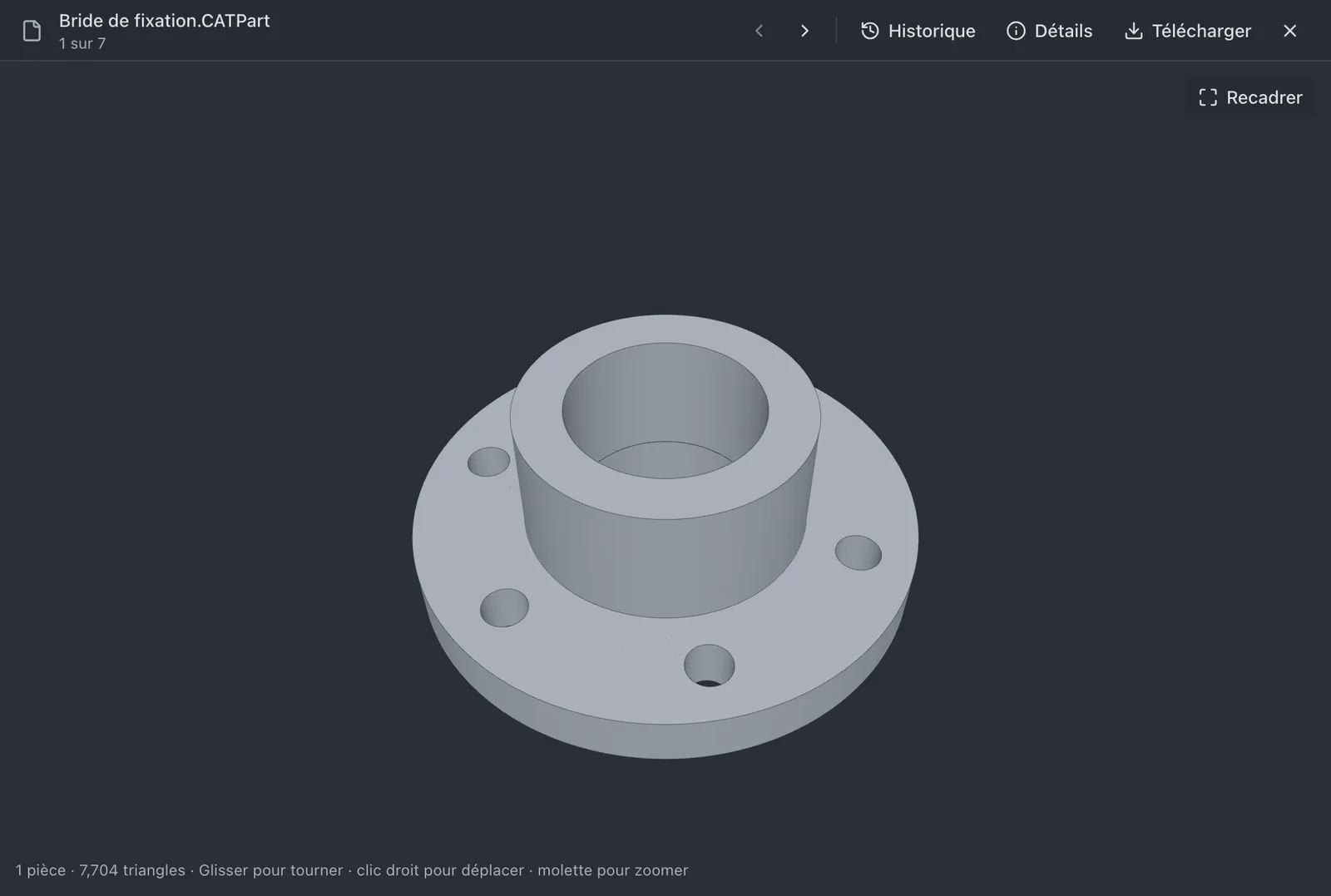
View a CATPart, STEP, IGES, IFC, STL or DXF file in Lena Web and in the preview pane of Windows Explorer, without CAD software.
Supported formats
- 3D models: CATIA V5 (.CATPart), STEP, IGES, BREP, IFC, STL, OBJ, glTF, 3MF, PLY, Collada, FBX and VRML.
- 2D drawings: DXF.
DWG and CATProduct files have no preview.
In Lena Web
Open the file: it is displayed in the page. The model can be rotated, panned and zoomed with the mouse; a DXF drawing gives access to its layers.
- A CATPart saved without a visualisation mesh cannot be displayed.
- A file in a protected folder has no preview in the browser.
In Windows Explorer
With the Windows client, the preview pane of Windows Explorer (Alt+P) displays the model or the drawing of the selected file.

- The file must already be on the computer: open it once to download it. A CATPart is an exception, since the server converts it.
- A CATPart is displayed only if it is on a Lena drive. The other formats are also displayed for files located elsewhere on the computer.
- .obj files are not supported in Windows Explorer.
A question not answered here? Write to us: contact@lena.cloud