
Lena Help › Sharing
Share a file or folder by link
Create a public link to a Lena file or folder, and what its options change: expiry, allowed countries, changes, frozen state.
A public link opens a file or folder in a browser, without a Lena account: anyone who has the address can access it. To restrict access to identified people, create a room.
Create a link
Right-click the file or folder, then “Share” in Lena Web or “Partager” (share) in Windows Explorer.
You need a link sharing quota, set by an administrator: without a quota, you cannot create a link. A protected folder can also forbid sharing.
Options
In Lena Web:
- “Expiration”: the link stops working at the end of the chosen day. Without a date, it does not expire.
- “Allowed countries”: the country is derived from the visitor’s IP address.
- “Allow changes”: the visitor can upload, rename, move and delete. On a folder, this is the way to receive files from an outside person. You need the “Edit” level on the item.
- “Freeze current state”: the link shows the content as it is when the link is created. This is the default setting of a read-only link.
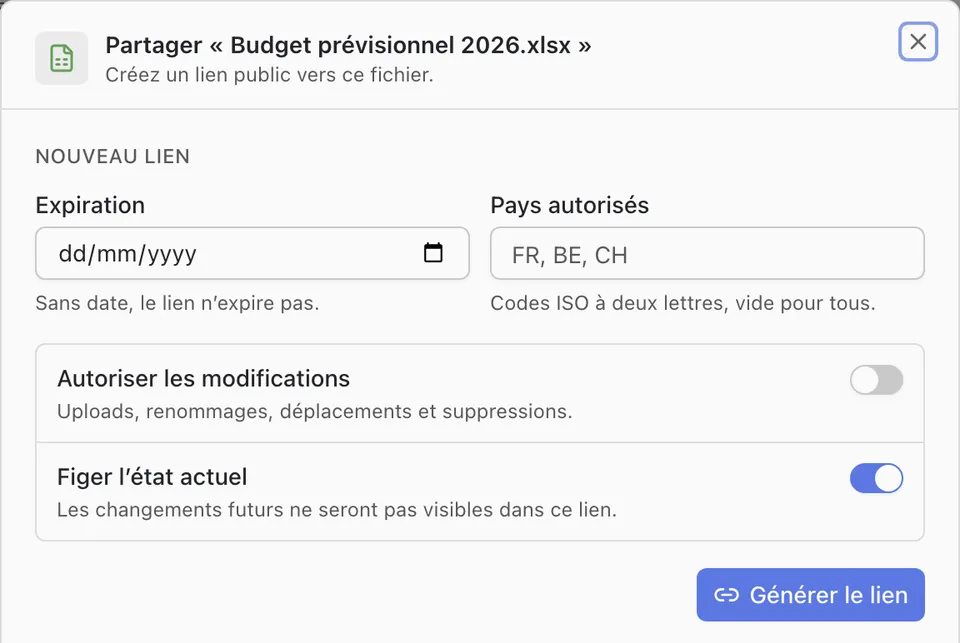
From Windows Explorer, “Créer un lien d’un mois” (create a one-month link) directly creates a frozen link, valid for one month. “Configurer un lien…” (configure a link) opens its options in a window before creating it.

What the recipient sees
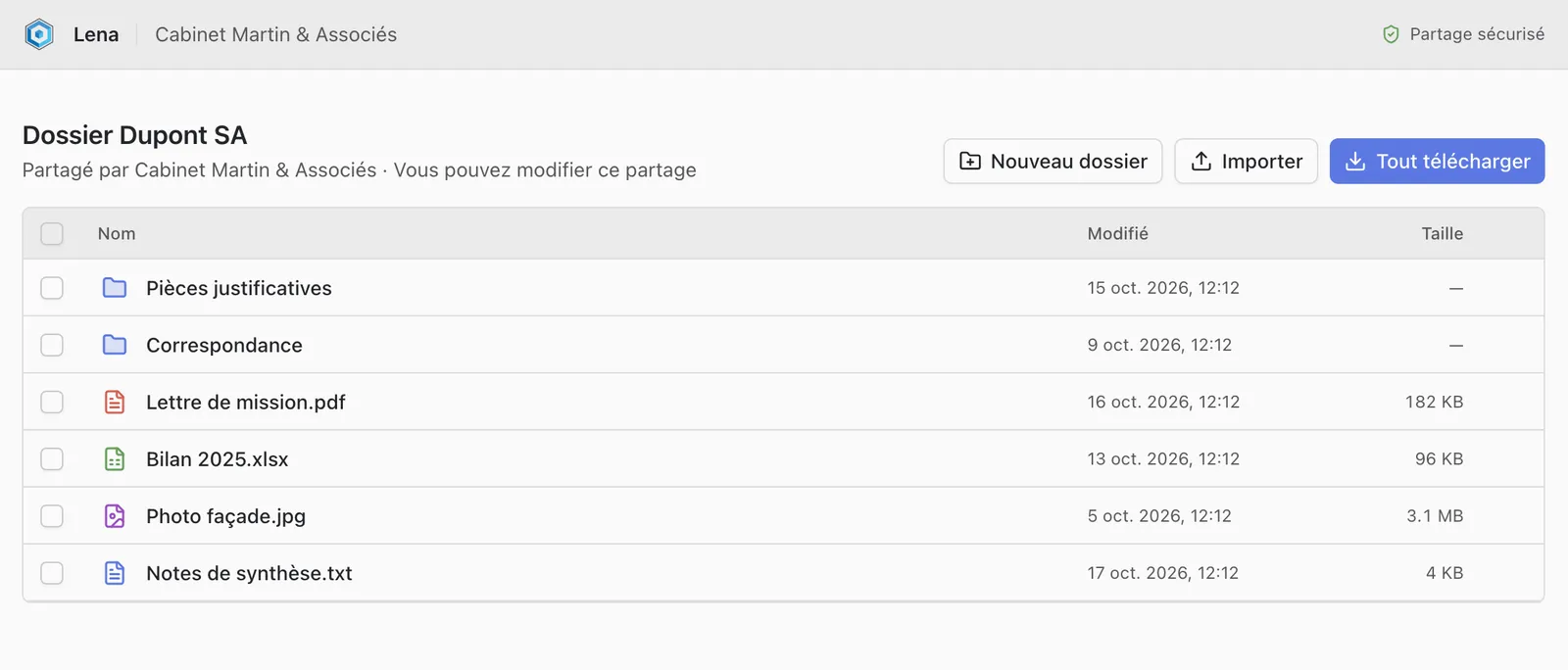
The page shows the name of your organisation. The recipient browses the folder, displays the files and downloads them, one by one or all together. Word, Excel and PowerPoint documents open in the online editor.
A question not answered here? Write to us: contact@lena.cloud