
Lena Help › Files and documents
Get back an earlier version or a deleted file
View and restore the versions of a file, recover a deleted file and see a folder as it was on a past date.
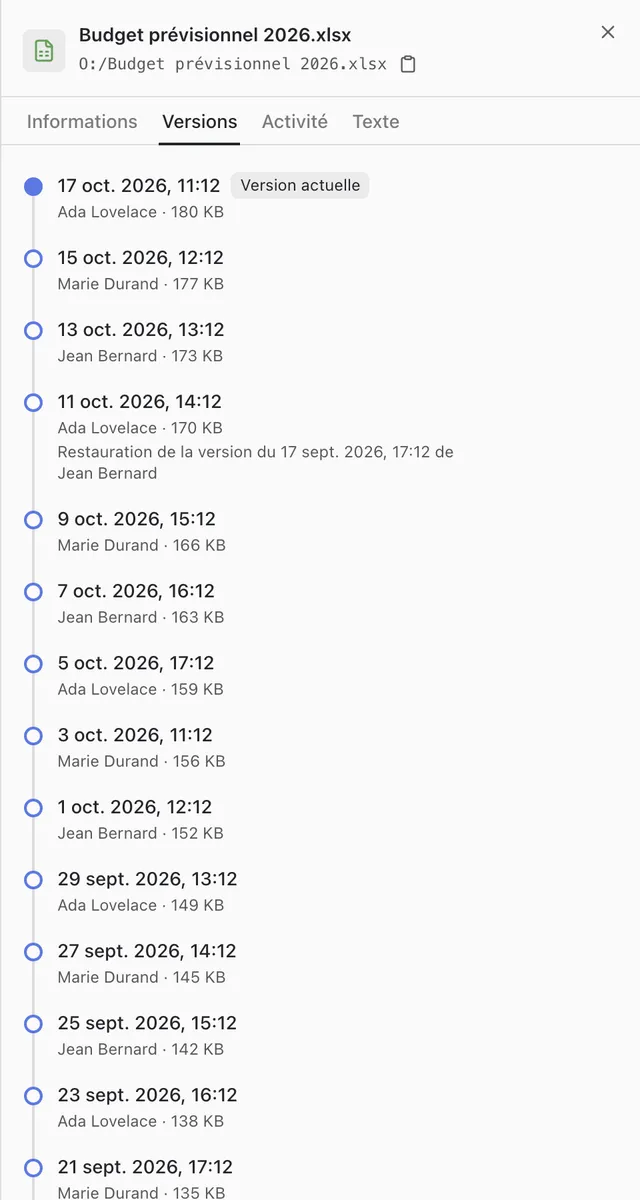
Versions of a file
Lena keeps a version of the file each time a change is saved.
- Lena Web: “Details” of the file, “Versions” tab.
- Windows Explorer: right-click, then “Versions du fichier” (file versions).
“Restore”, or “Restaurer” (restore) in Windows Explorer, puts a version back in place of the current one. Nothing is erased: the version you replace stays in the list. Write access to the file is required.

Recover a deleted file
In Lena Web, open the “Details” of the folder that contained the file, “Activity” tab, and click “Restore” next to the deletion. The file returns to its former location. Write access to the folder is required.
See a folder on a past date
“View as of” in Lena Web, or “Voir à une date…” (view as of a date) on right-click in Windows Explorer, shows a folder and its sub-folders as they were at a given moment, read-only. You can open the files there and, in Lena Web, download them. In Windows Explorer, it also applies to a single file.

A question not answered here? Write to us: contact@lena.cloud