
Lena Help › Administration
Manage users, groups and their permissions
Create users and groups in Lena Web, set their permissions and their sharing quota, and what a deletion keeps.
The “Users and groups” page of Lena Web (“Administration” section) requires the “Manage users and groups” permission or the account administrator permission.
Users and groups
When a user is created, Lena sends them an e-mail to choose their password. Their panel then lets you send them a password link again.
The members of a group receive its permissions, quotas and access.
Global permissions
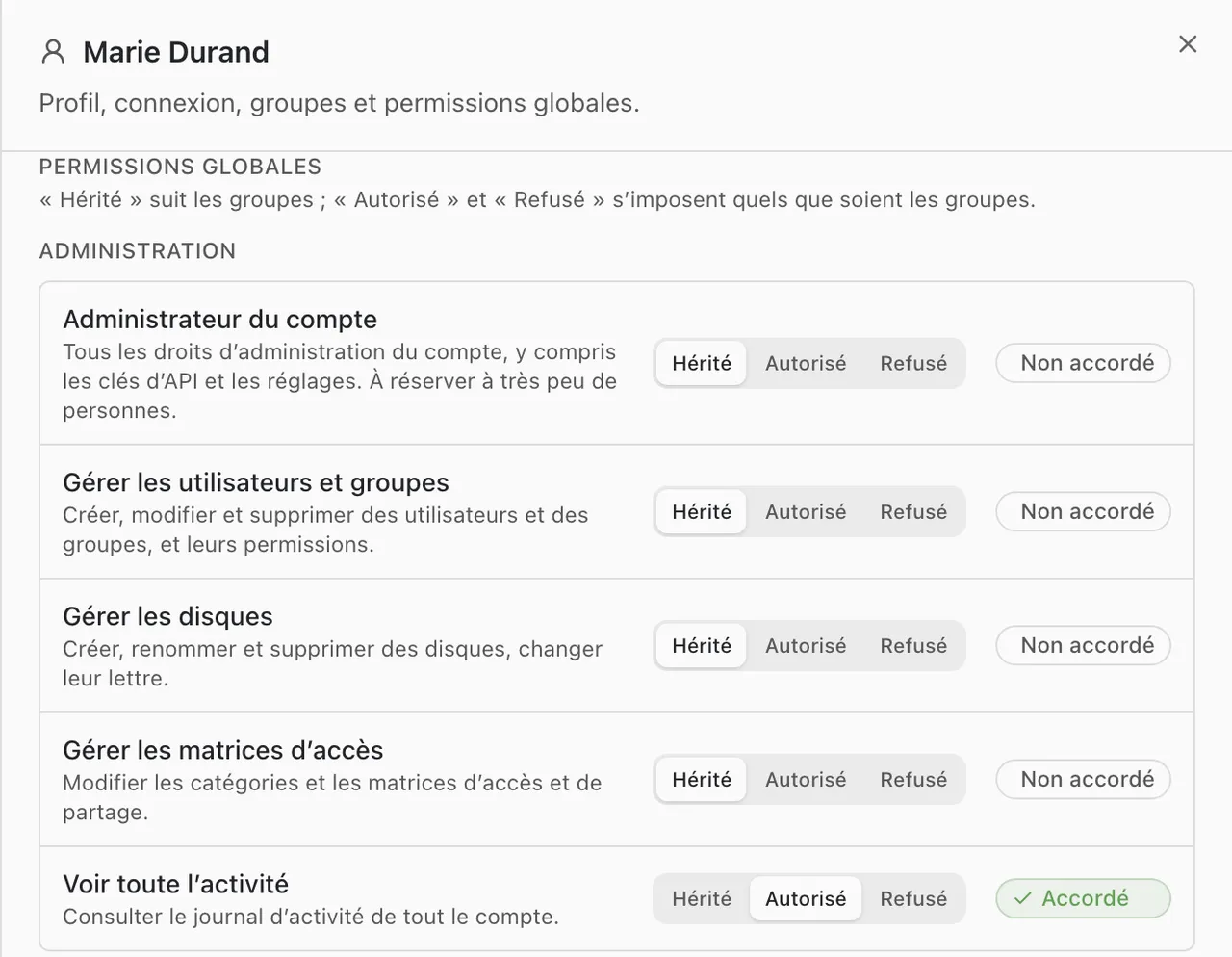
Each permission is set to “Inherited” (follows the groups), “Allowed” or “Denied” (these apply whatever the groups say).
- “Administration”: “Account administrator” (every administration right), “Manage users and groups”, “Manage drives”, “Manage access matrices”, “See all activity”.
- “Sharing”: “Create rooms”, “Invite to rooms”.
- “Workstations”: “Permanent local cache”, “Offline folders”, “Protected folders offline”.
Only an account administrator can grant or remove “Account administrator”.
Link sharing quota
A user has no quota when created: without a setting on their panel, in a group or in the sharing matrix, they cannot create a link.
The quota is set separately for regular files and protected files: unlimited, a number of files per week, or denied. The setting on the panel replaces the one of the groups and of the sharing matrix.
Deletion
- User: their sign-in is disabled and they disappear from the lists. Their identity and activity history are kept.
- Group: its members lose the permissions and access it gave.
A question not answered here? Write to us: contact@lena.cloud