
Lena Help › Administration
View the activity of a file, a folder or the account
See who created, modified, moved or deleted an item, and audit the activity of the whole account in Lena Web.
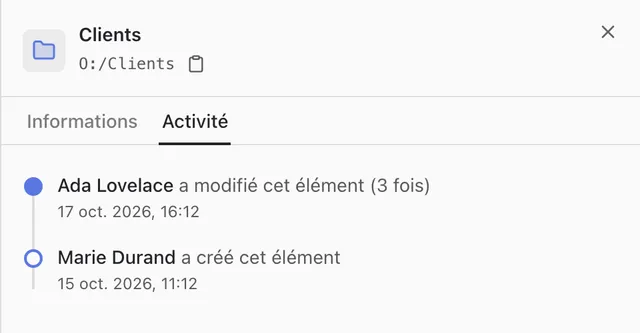
Activity of a file or a folder
- Lena Web: “Details” of the item, “Activity” tab.
- Windows Explorer: right-click, then “Activité” (activity).
The list gives the creations, modifications, renames, moves, deletions and restorations, with their author. For a folder, it covers what the folder contains. Read access to the item is required.
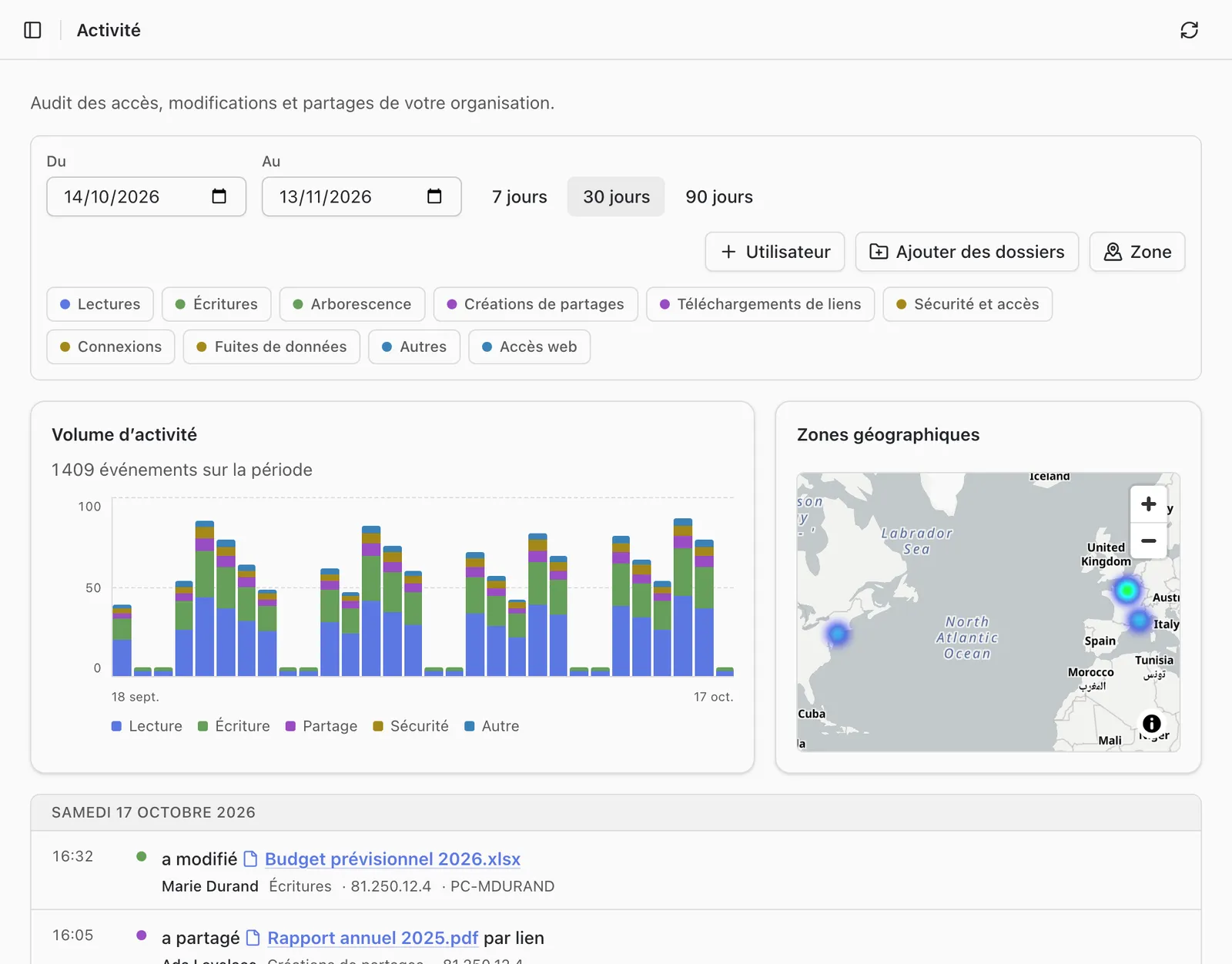
Activity of the whole account
The “Activity” page of Lena Web covers the whole organisation: reads, writes, shares, link downloads, sign-ins, security and access. It is visible to account administrators and to people who have the “See all activity” permission.
It can be filtered by period, event type, user, folder and geographic area. It shows the activity volume over time, the map of the places the activity comes from, then the events day by day, with, depending on the case, the IP address, the computer, the location, the sharing link used and the program or browser.
A question not answered here? Write to us: contact@lena.cloud