
Lena Help › Access rights and protection
Set the access rights of a file or folder
Access levels, rules per person or per group, inheritance between folders, access test, managers and owners in Lena.
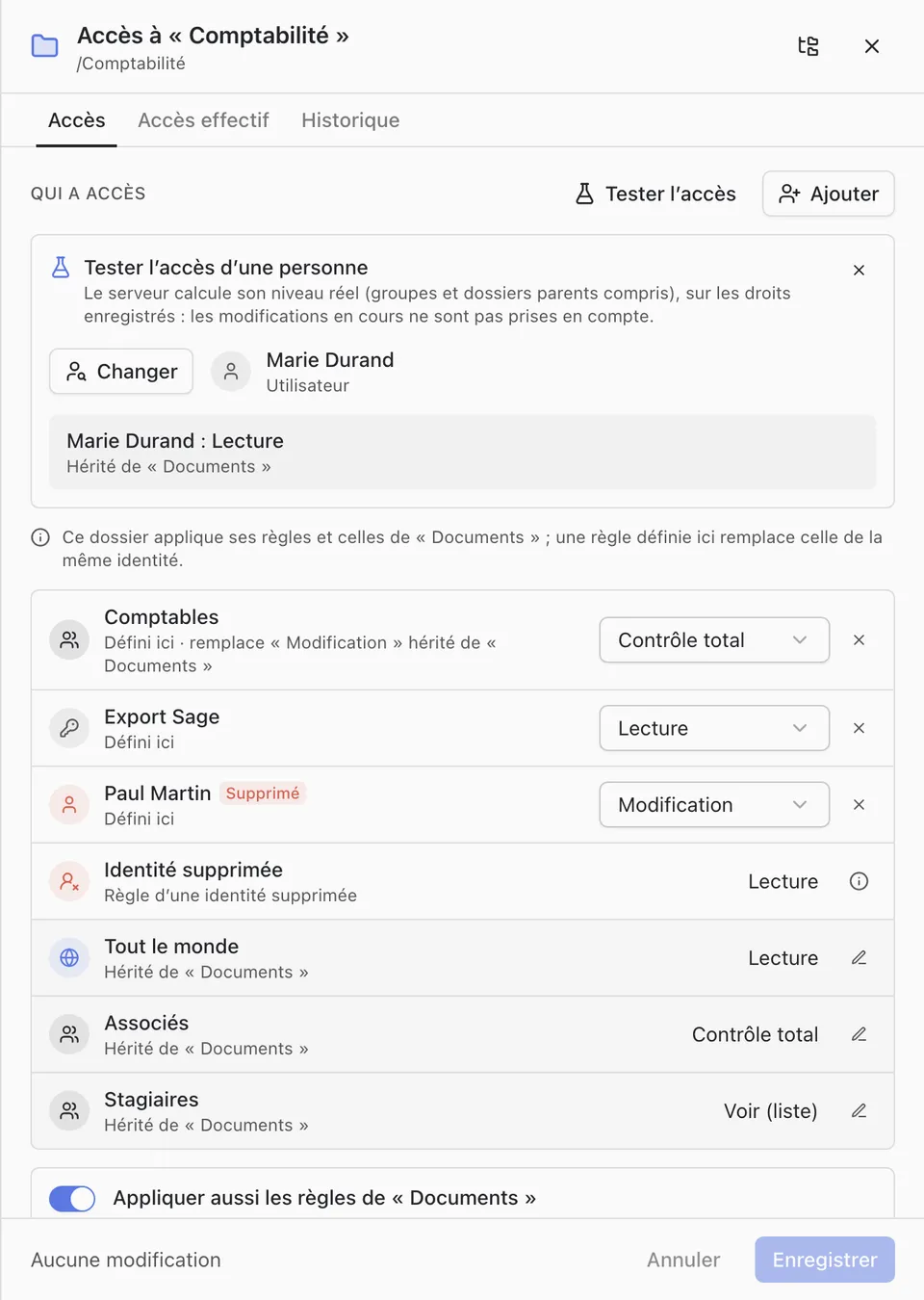
Access rights are set in Lena Web: right-click a file or folder, then “Access”. A rule gives a level to a person, a group or “Everybody”.
Access levels
- “No access”: the item stays visible in its folder but cannot be opened.
- “See (list)”: sees the item and its content, without opening files. This level is given through the access matrix.
- “Read”: opens, downloads and copies.
- “Edit”: edits and adds, without deleting.
- “Full control”: everything, including deleting and moving.
Inheritance
A folder with no rule of its own applies those of its parent folder; a file always applies those of its folder. At the root of a drive with no rule, every user of the account has full control.
When the first rule is set on a folder, Lena asks whether to keep or cut inheritance, and shows who would lose their access. If inheritance is kept, a rule set here replaces the one of the same person or group.
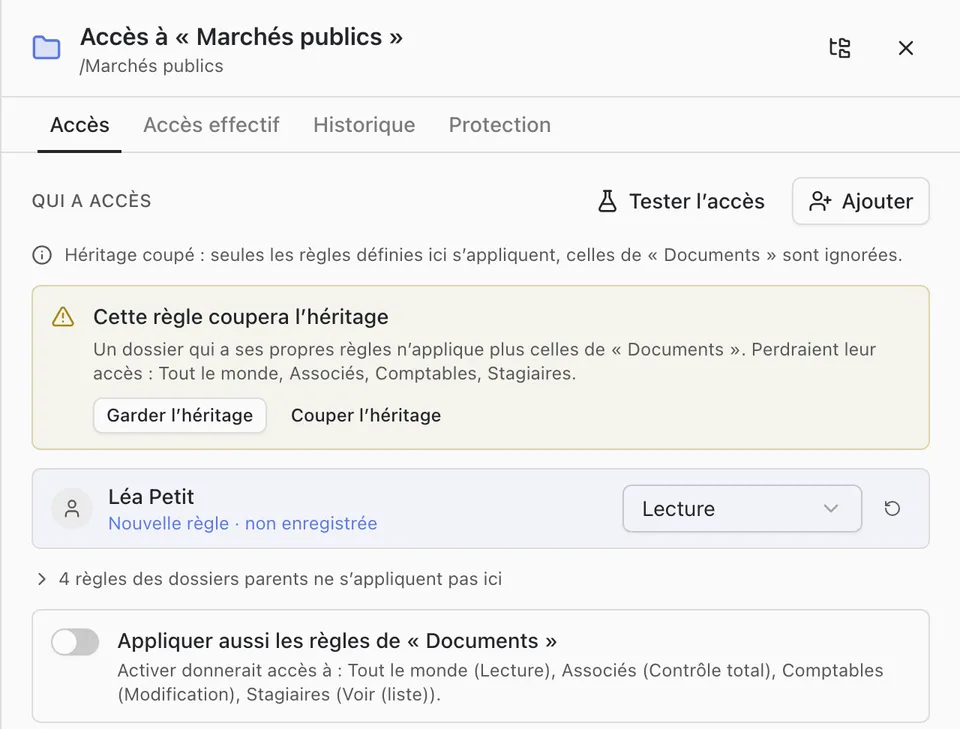
Check access
- “Test access” computes the actual level of a person, groups and parent folders included.
- “Effective access” lists the people who have access, their level and the rule it comes from.
- “History” lists the changes of rights.
Managers and owners
- Managers change the rules of the item and its content. Other users can only see them.
- Owners appoint managers and owners. An owner set on a folder replaces those of the parent folders.
Lock the structure of a folder
“Lock the folder structure” prevents, on Lena computers, creating, renaming, moving or deleting an item directly in this folder.
A question not answered here? Write to us: contact@lena.cloud