
Lena Help › Sharing
View and revoke existing shares
Find the public links and rooms of your folders in Lena Web, revoke a link and understand the weekly sharing quota.
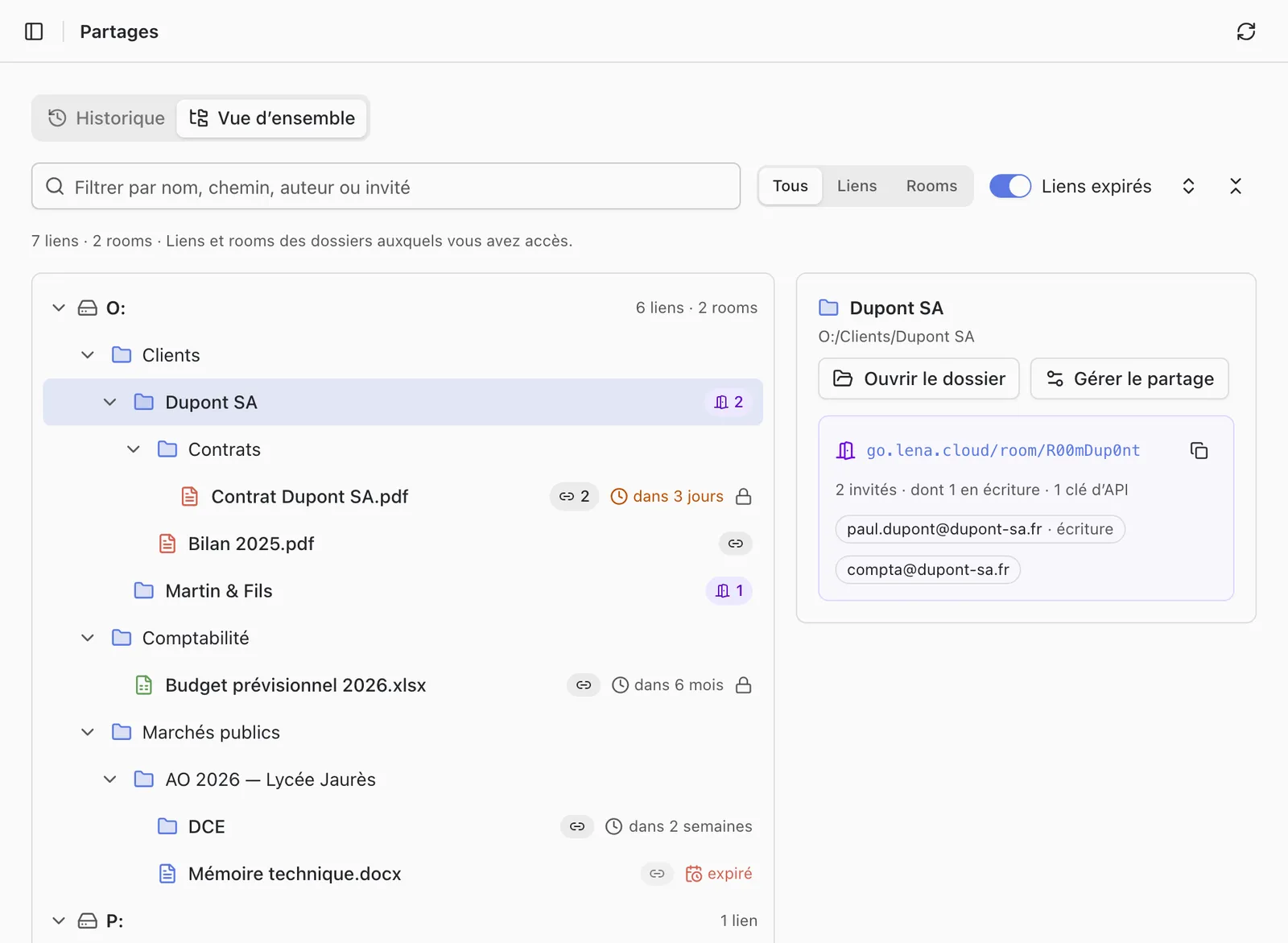
The “Shares” page of Lena Web gathers the public links and rooms of the folders you can access. Its “History” view lists who created or deleted a link, opened a room, invited or removed someone.
Revoke a link
On the shared item, “Manage share”, then “Revoke” next to the link. It stops working for everyone who received it.
You can only revoke the links you created. A manager of the folder sees the links of other users, without their address, and must ask their author to revoke them.
To remove a guest from a room, see Share a folder with identified guests.
Weekly link sharing quota
An administrator can limit the number of files you share by link each week.
- A folder counts for all the files it contains.
- The counter starts again from zero on Sunday.
- Rooms do not use this quota.
If the quota would be exceeded, Lena refuses to create the link: share a subfolder or only the files needed, or ask your administrator to raise the quota. It is set in Users and groups.
A question not answered here? Write to us: contact@lena.cloud