
Lena Help › Files and documents
Search for a file and ask the assistant
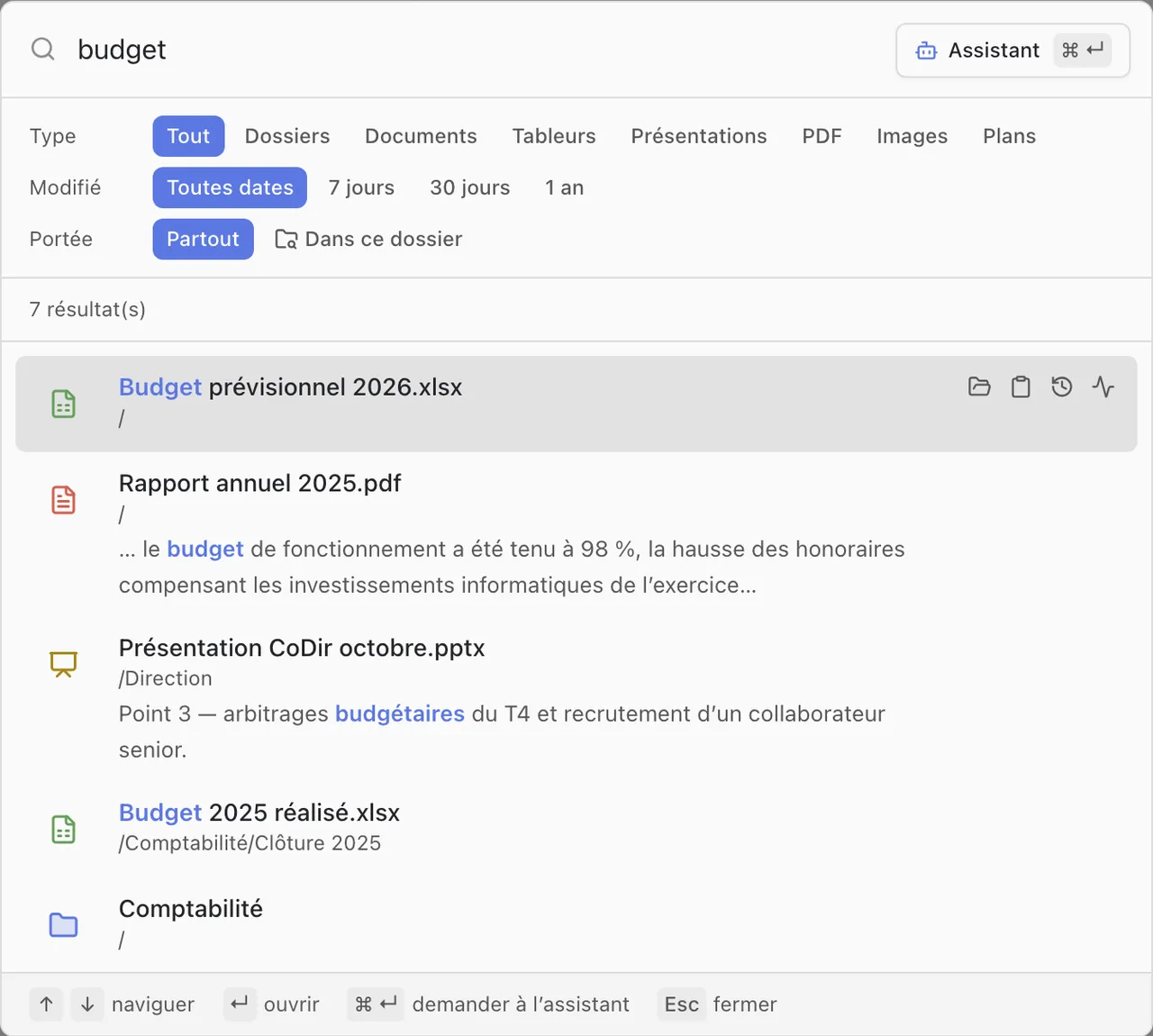
Search for a file by its name, its content, its meaning or what an image shows, and ask the assistant a question.
The search opens in Lena Web with Ctrl+K (⌘K on Mac), and in the Windows client from the Lena icon, next to the clock.
What the search finds
- The names of files and folders, typos tolerated.
- The content of documents: the exact words, and passages with the same meaning, even when worded differently.
- Images, by what they show.
You only see the items you have access to. The results can be filtered by type, by modification date and, in Lena Web, by folder.
Good to know:
- The content of a modified file is taken into account about 15 minutes after it was last saved. Its name is taken into account straight away.
- A scanned PDF or a password-protected file is found by its name only.
Ask the assistant a question
Write your question in the search field, then click “Assistant” (Ctrl+Enter, or ⌘+Enter on Mac). The assistant searches, reads the relevant documents and answers, citing its sources: clicking a name opens the file. You can then refine your request.
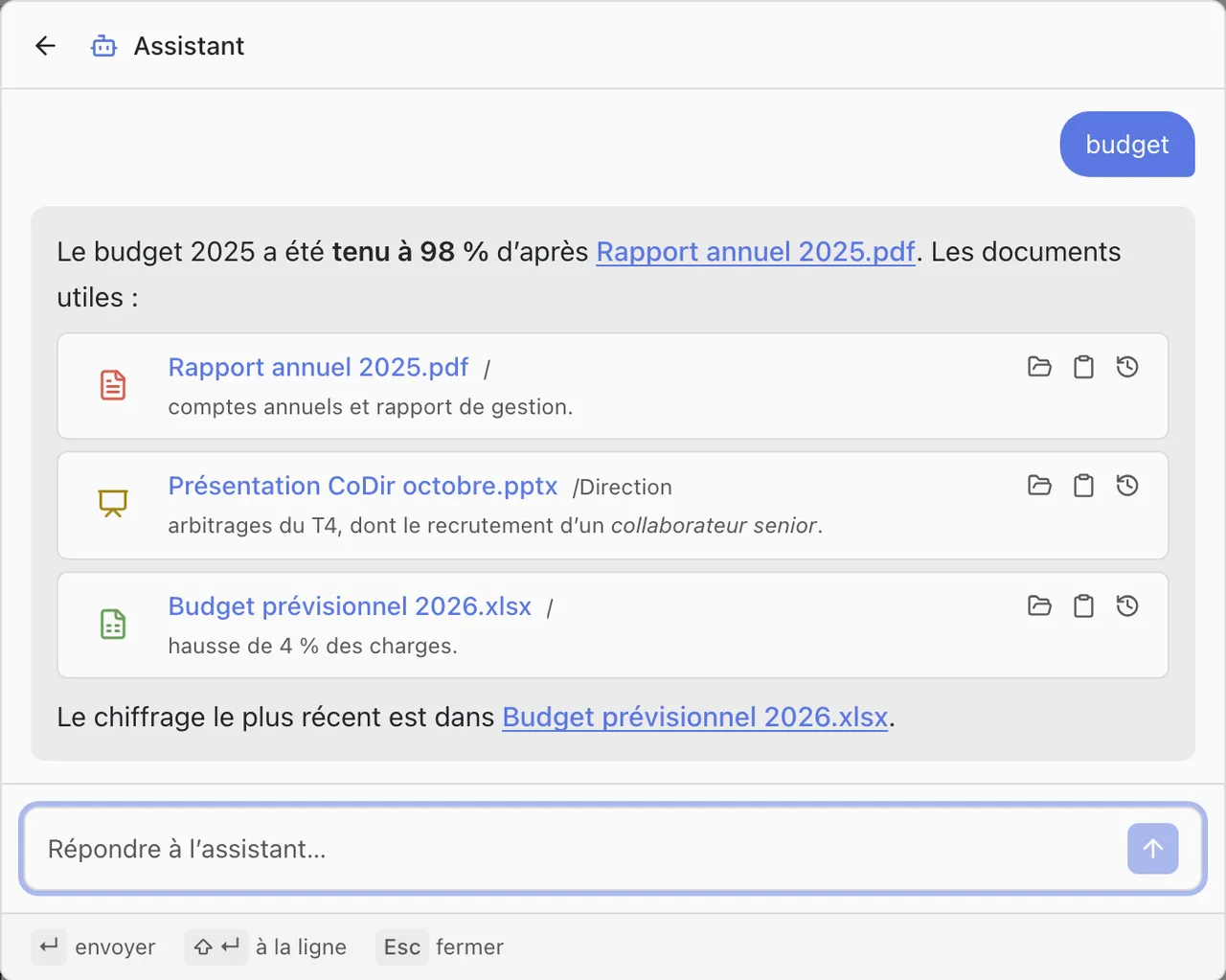
It works with your rights: it only reads the content of files you can read, and cites no file you cannot see.
It uses a Mistral AI model: your question and the excerpts it has read are sent to the Mistral AI API.
A question not answered here? Write to us: contact@lena.cloud