
Lena Help › Sharing
Share a folder with identified guests (room)
Open a room on a Lena folder for named outside people, choose who can edit and remove a guest.
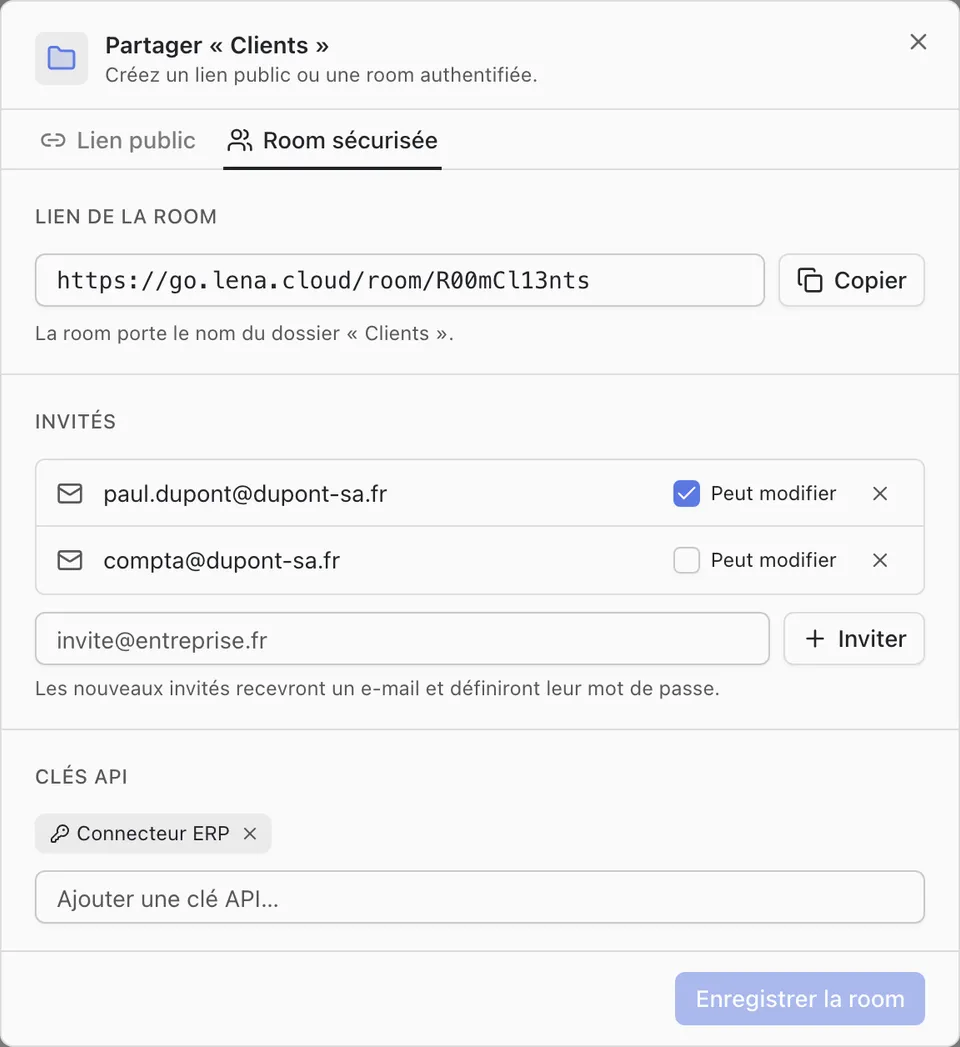
A room gives outside people whom you name access to a folder. Each guest signs in with their e-mail address and password. A room covers a folder, never a single file.
Open a room
Right-click the folder, then “Share” and the “Secure room” tab in Lena Web, or “Partager” (share) and “Partage sécurisé…” (secure sharing) in Windows Explorer. Add the guests’ e-mail addresses: each one receives an e-mail with the link of the room and chooses their password.
By default, a guest views and downloads. “Can edit” (“Peut déposer”, can upload, in Windows Explorer) also lets them upload, rename, move and delete.
You need one of the “Create rooms” or “Invite to rooms” permissions, granted by an administrator.
What a guest sees
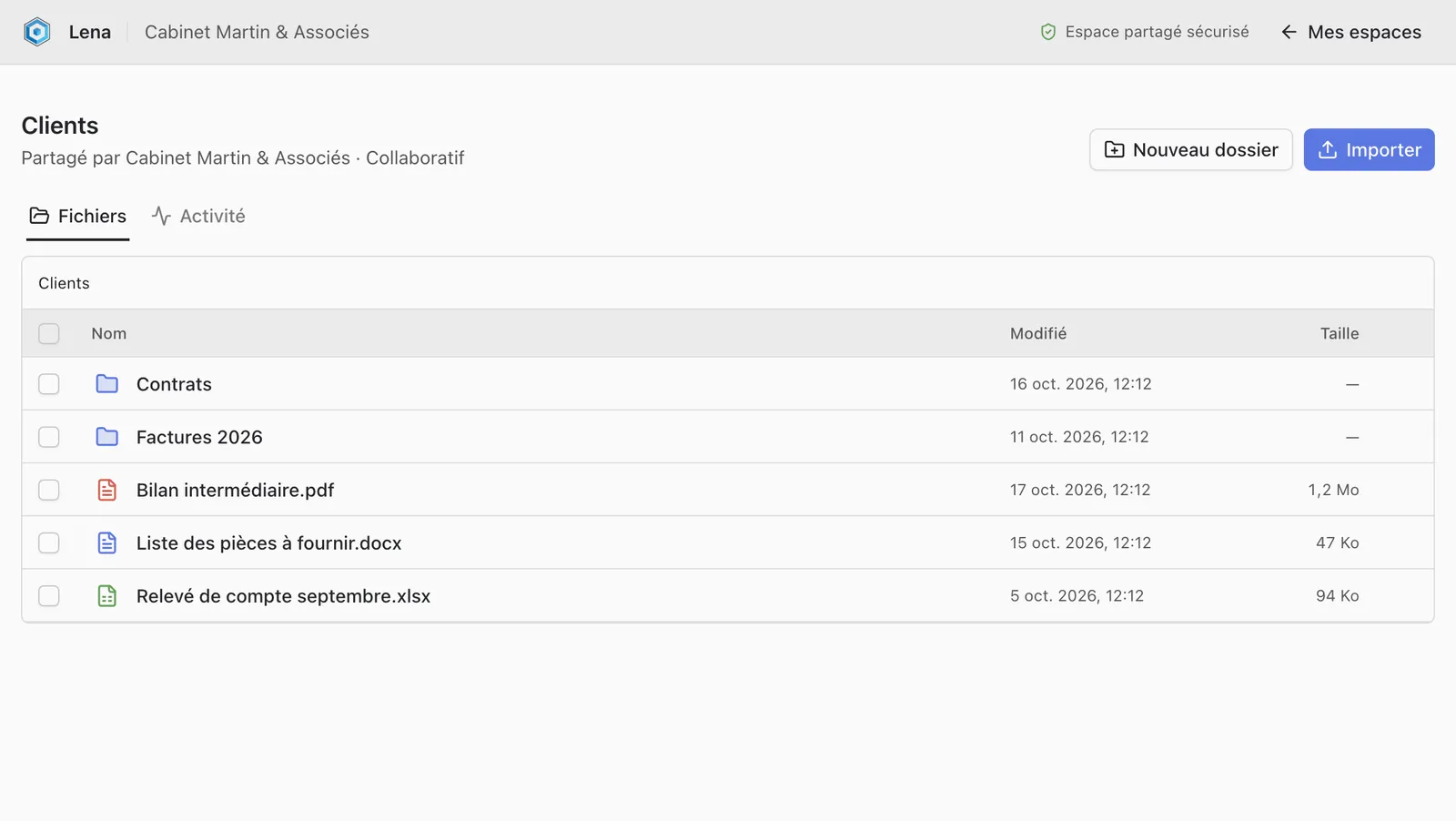
Once signed in, the guest sees their rooms, and no other folder of your organisation. In a room, they browse the folders, display and download the files; Word, Excel and PowerPoint documents open in the online editor. An “Activity” tab lists recent changes.
Remove a guest
Reopen the room and remove their address. The guest loses access to this room; their account remains valid for the other rooms they are invited to.
A question not answered here? Write to us: contact@lena.cloud