
Lena Help › Access rights and protection
Protect a sensitive folder
What the protection of a Lena folder prevents on Windows computers, in the browser and for sharing.
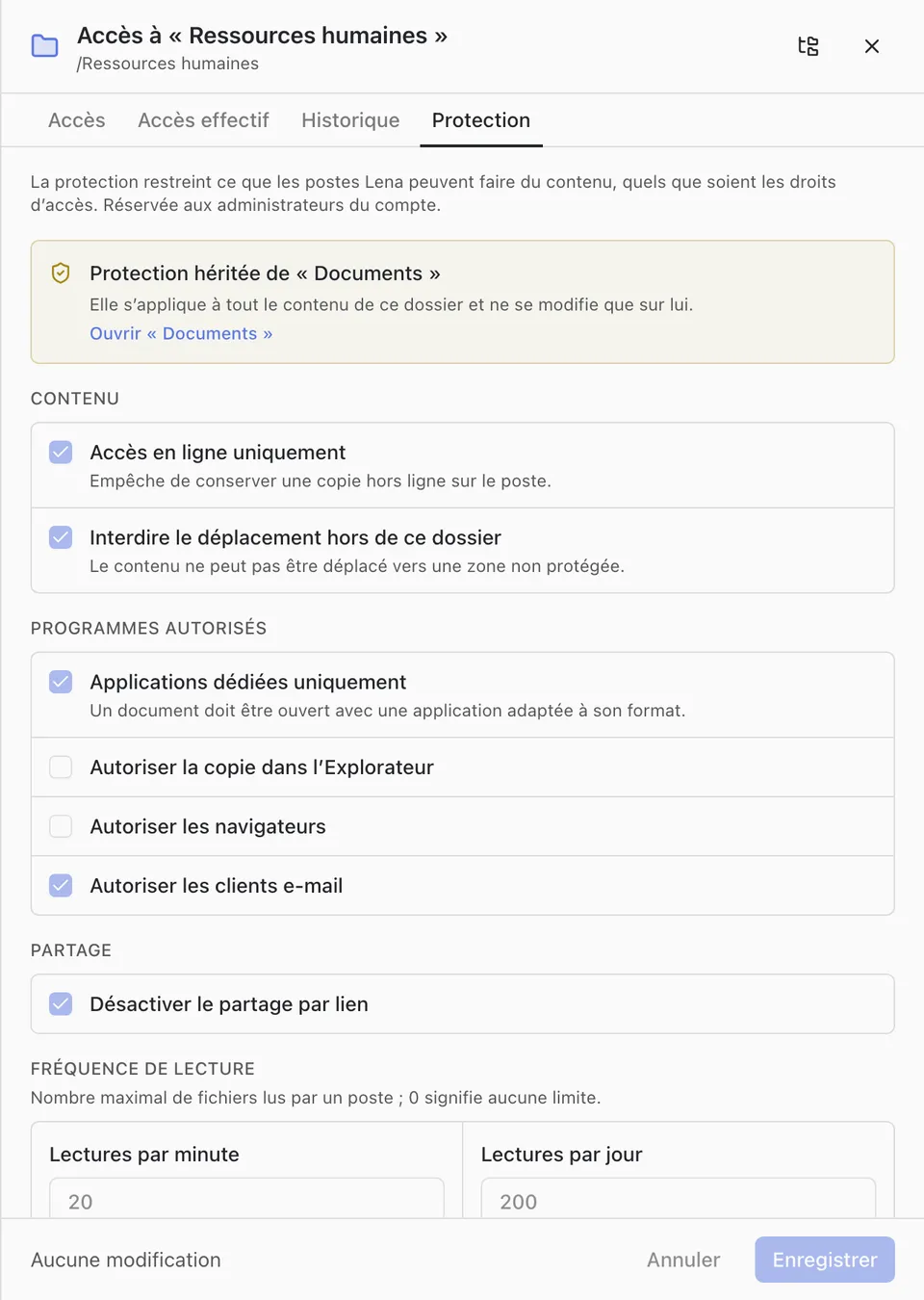
Protection restricts what Lena computers can do with the content of a folder, whatever the access rights. It applies to the whole content of the folder. Only account administrators can enable, change or remove it: right-click the folder in Lena Web, “Access”, “Protection” tab.
When protection is enabled, Lena proposes the strictest setting.
Settings
- “Online access only”: no offline copy on the computer.
- “Prevent moving outside this folder”: the content cannot be moved into an unprotected area.
- “Dedicated applications only”: a document must be opened with an application suited to its format. Exceptions are possible for Windows Explorer, browsers and email clients; allowing copying in Windows Explorer can bypass the per-application restrictions.
- “Disable link sharing”: no public link and no room on this folder. If sharing remains allowed, each user’s “Protected files” quota applies.
- “Reads per minute” and “Reads per day”: maximum number of files read by a computer.
In Lena Web
A protected file cannot be downloaded from the browser and has no preview. Word, Excel and PowerPoint documents open read-only, with no download, printing, export or copying, and with a watermark.
Offline
The “Offline folders” permission excludes protected folders. “Protected folders offline” allows a user to sync them as well.
A question not answered here? Write to us: contact@lena.cloud