
Lena Help › Files and documents
Create and manage drives
What a Lena drive is, how to create one and what to set before putting files in it.
A drive is a file space of the organisation, with its folders, its access rights and its history. It appears with a letter in Windows Explorer and under “Drives” in Lena Web. You only see the drives on which you have rights.
Create a drive
In Lena Web, “Settings”, “Drives” tab, then “New drive”. You must be an account administrator or have the “Manage drives” permission.
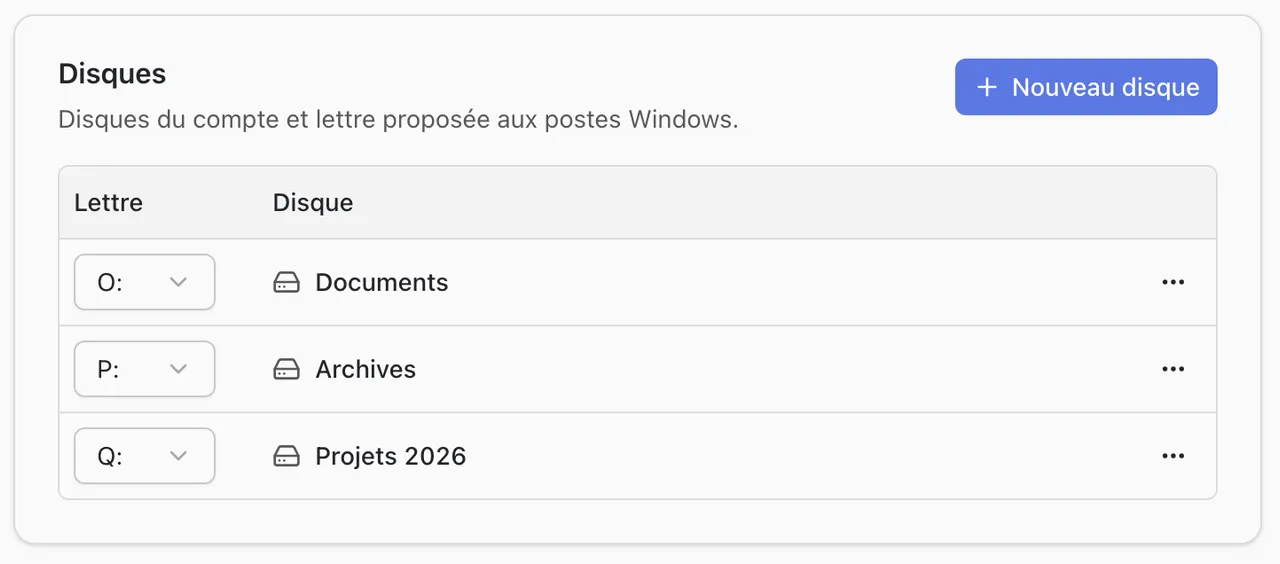
A new drive has no access rule: every user of the account has full control over it. Set the access before putting files in it (right-click the drive, then “Access”).
Letter and deletion
In the same tab:
- The letter is the one offered to Windows computers. If it is already taken on a computer, the client uses another one.
- Deleting a drive deletes all its files and their history, for all users. The action is permanent.
A question not answered here? Write to us: contact@lena.cloud